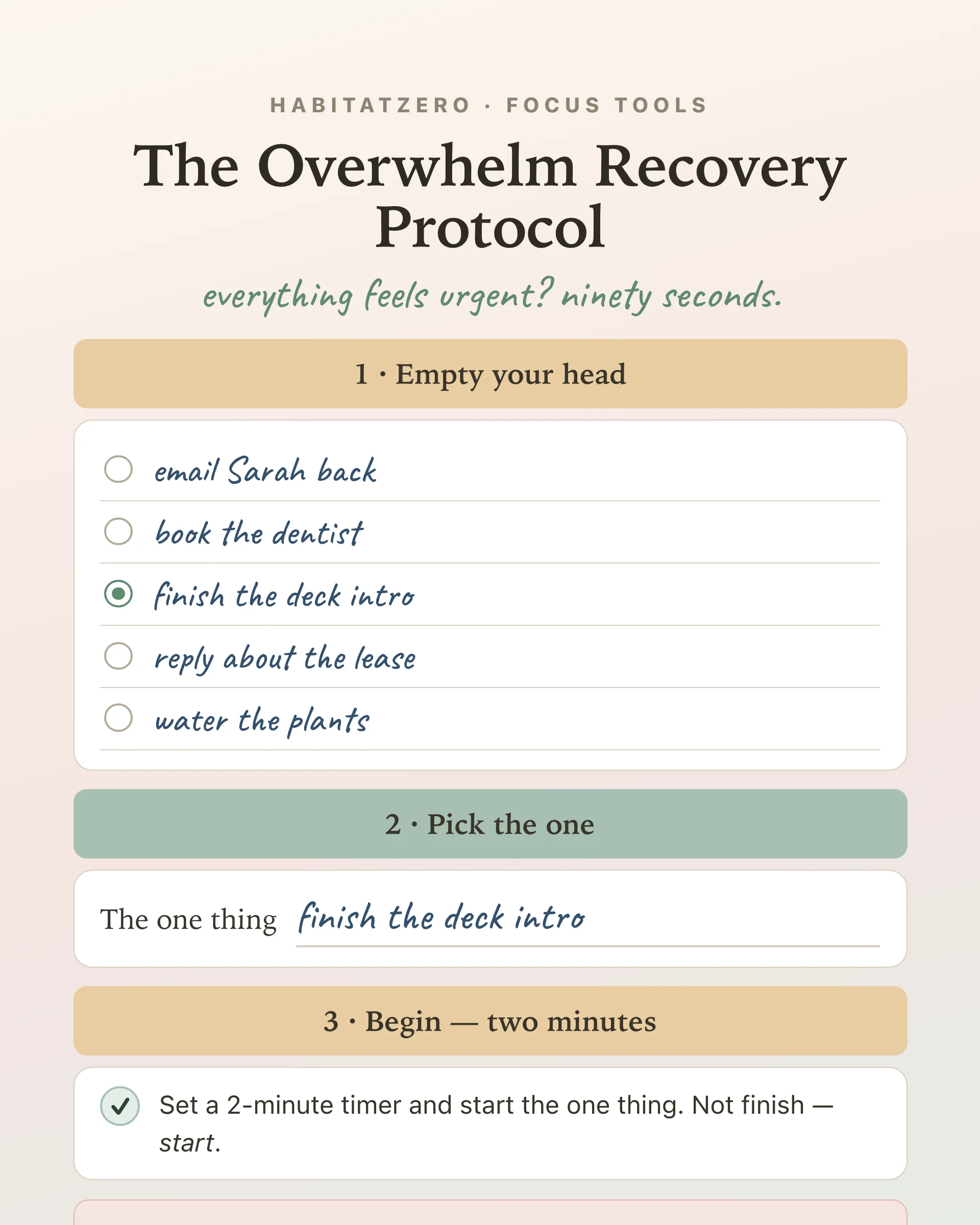
The Overwhelm Recovery ProtocolWellness & Routines · ~5 min
About this template · Updated September 2026
Zero-based budgeting began in corporate offices, not kitchens. Peter Pyhrr developed it at Texas Instruments in the 1960s, and his first-person account in Public Administration Review set the approach out for government budgets. Its core demand was that no spending line survives just because it existed last year; each one is rebuilt from zero and has to earn its place. This worksheet is our own household version of that idea, made independently, and neither Pyhrr nor the journal had any part in it or endorses it.
At home, the rule shrinks to one piece of arithmetic you can check at a glance. Start with the pay that actually lands this month, after tax. Give every dollar of it a job: rent, groceries, the emergency fund, an extra payment on a card. Keep going until the pay minus all the jobs comes to exactly zero.
The last few hundred dollars are where most plans go soft. A budget that leaves $240 unassigned has quietly decided nothing about that money, so the method asks you to decide: savings, a debt, or the envelope you already suspect will run short. That is also why zero is not an empty account. Money sent to savings still has a job, and a zero-based month can end with a bigger balance than it started with.
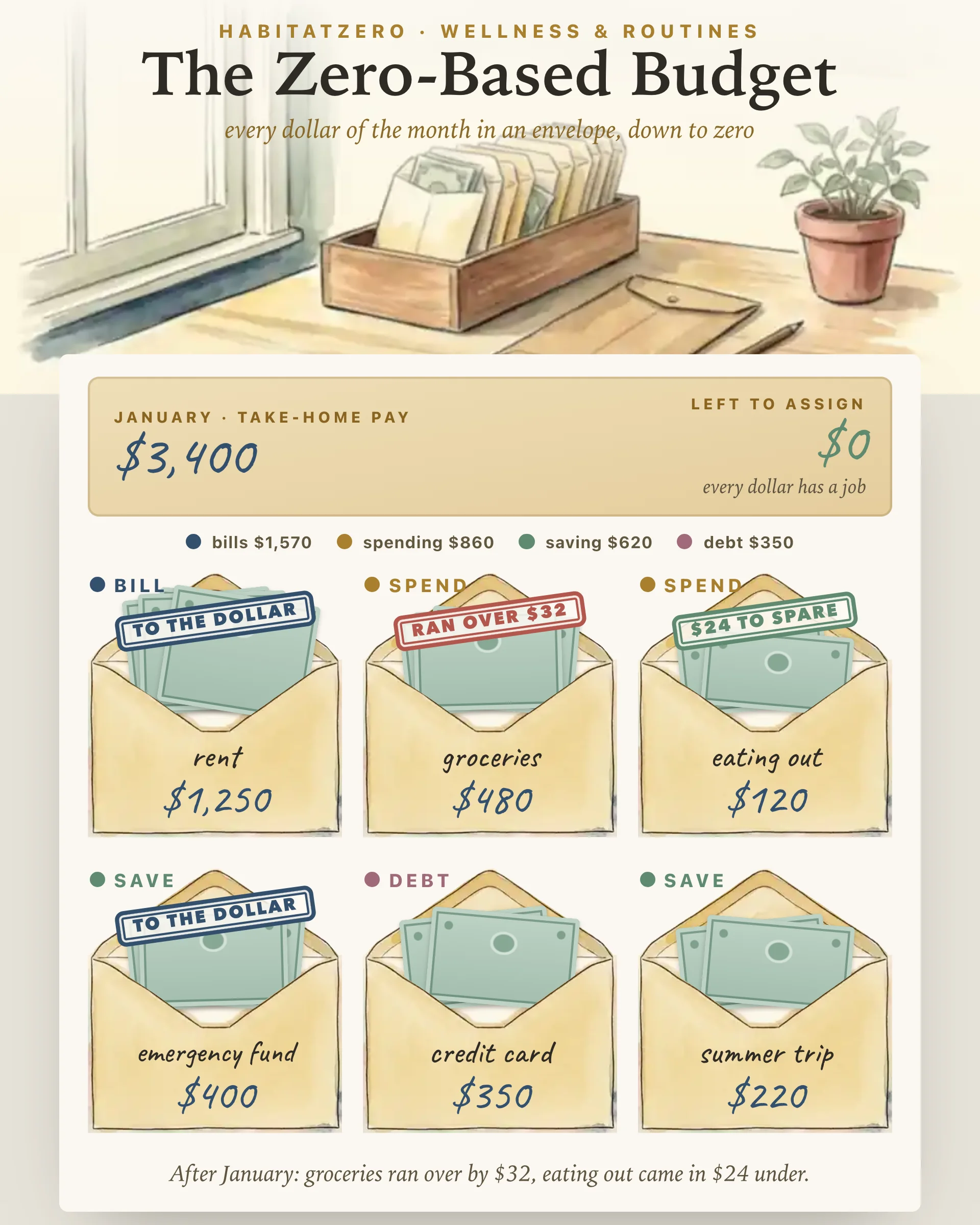
The month's take-home pay goes in the kraft pay packet at the top, with a dollar, pound or euro sign and the month it covers. Below it sits the box of envelopes. Choose bills, spending, saving or debt to see the usual jobs, tap one to open its envelope, or name your own. The box holds twelve, which is plenty once small jobs share an envelope.
Fill each envelope with the stepper or type the amount, and paper money rises out of it as it fills. Left to assign, in the packet, counts down with every change and is only satisfied at zero. Hand out more than the month brings in and the readout turns to over-assigned, with the exact amount. Either way, one tap on an envelope's name gives it the leftover or takes the overrun back out of it.
When the month closes, switch to after the month. Under each envelope, write what that job actually took, or tap same where it matched. Each one gets a stamp: ran over, money to spare, or to the dollar. A short tally adds the month up and names what ran over. Starting the next month keeps every envelope and amount as a draft and clears the counts, so each figure gets a fresh look instead of a silent copy.
The Consumer Financial Protection Bureau's guide to creating a budget and sticking with it runs in the same order as this page. It starts with a record of all your income, logs spending by category to get a realistic picture of an average month, and asks you to update the budget when your job or your spending habits change. The after-the-month side of this page is that logging step, done envelope by envelope.
The envelopes have a little research behind them, though not research on budgets like this one. In a fourteen-week field study with 146 laborers on a construction project in rural India, Dilip Soman and Amar Cheema had each household's weekly savings sealed in envelopes. Households whose savings were split across two envelopes saved more than those whose savings shared one, a result the authors tie to earlier work suggesting that dividing money up helps self-control. That was cash savings in a very different setting. It does not show that zero-based budgeting beats any other method.
No study has tested this worksheet. It does arithmetic and nothing else: it will not tell you what a job should cost, which envelope to shrink, or whether your pay is enough.
The days between Christmas and New Year suit a first attempt, while January's pay is still on its way and every envelope starts empty. After that, it wants one sit-down before the month's first bill and a short count when the month closes. If you are paid every other week, The Biweekly Budget shows which paycheck carries each bill, and those paychecks together make the month's pay here. If you want a yardstick for how big the envelopes should be, The 50/30/20 Budget holds your month against a three-way split. And once the bill envelopes are set, The Bill Ledger keeps their due days and ticks each one off as it goes out.
It is a monthly plan in which take-home pay minus everything you assign comes to exactly zero. Bills, day-to-day spending, savings and extra debt payments all count as jobs, so a dollar left over is not spare money. It is a decision you have not made yet.
No. The zero describes the plan, not your bank balance. A dollar sent to an emergency fund or a savings goal has a job just as rent does, so a zero-based month can finish with more in savings than it began with.
Picture $3,400 of take-home pay in January: $1,570 for bills, $860 for groceries, gas, eating out and fun money, $620 for savings and $350 toward a credit card. Those four add up to $3,400, so nothing is left to assign. The filled example on this page uses exactly those figures.
They share one idea but use different tools. Zero-sum budget is another name for the same arithmetic, where income minus every assignment equals zero. The envelope system is the cash version of it: money goes into labeled paper envelopes, and spending on that job stops when its envelope is empty. This page draws the envelopes, but no cash has to change hands.
No account is needed to look through the filled example on this page. Filling envelopes with your own pay, carrying them from one month to the next and counting what each one took all happen in HabitatZero, at no cost.
By the team behind Fabulous, the science-based self-care app used by over 30 million people.