ADHD Daily Task OrganizerFocus & ADHD · ~10 min
About this template · Updated July 2026
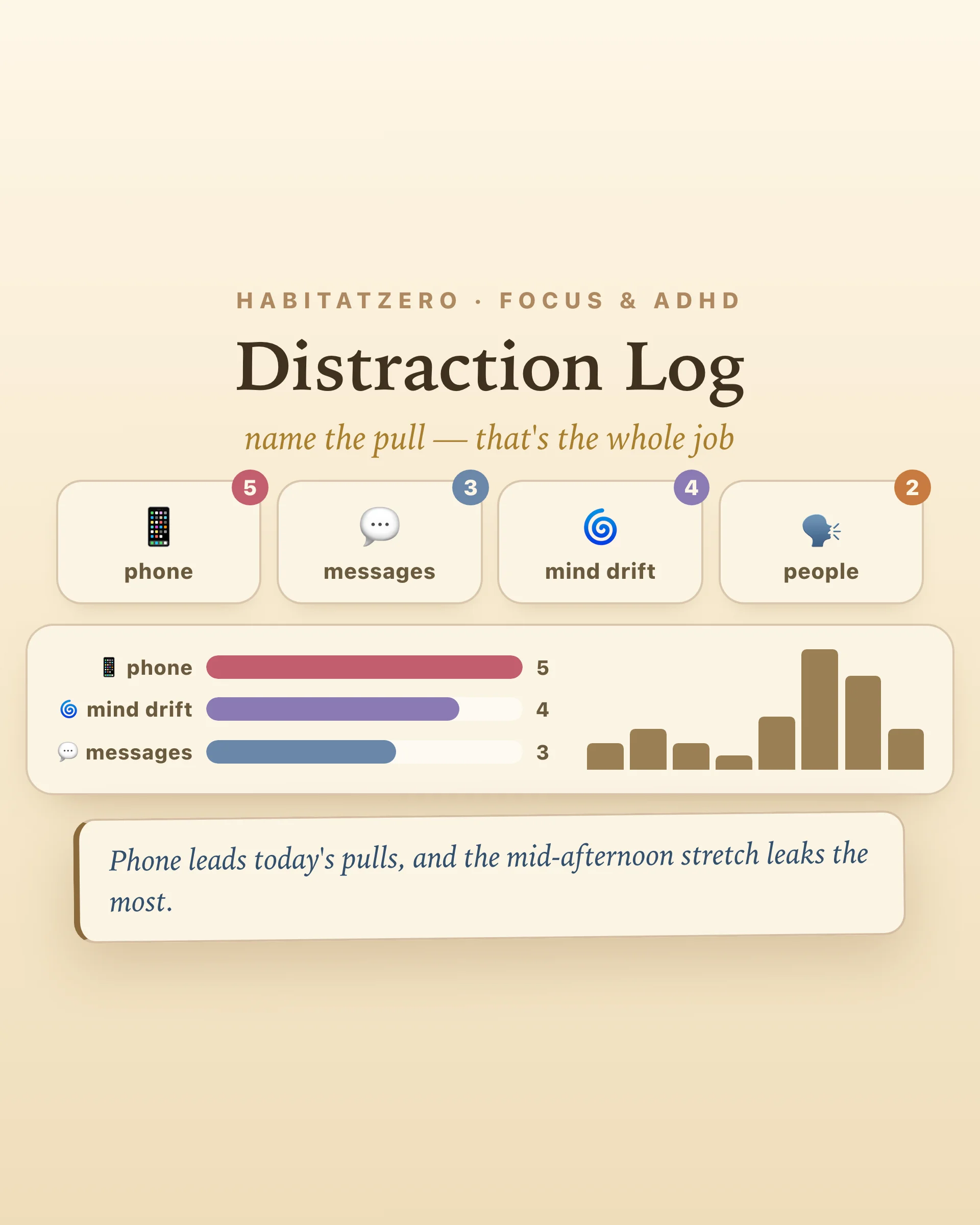
Everyone has a theory about why they can't focus. The phone. The open office. The group chat. "I just have no discipline." The theories are confident, emotional — and usually wrong, because nobody actually has the data. A distraction log replaces the theory with a tally: every time something pulls you off task, you tap what it was, and by evening you're looking at your real distraction profile instead of the story you tell about it.
The log is deliberately typing-free. The moment you notice you've been pulled — phone in hand, conversation started, thought three tangents deep — you tap the pull's name: phone, messages, people, noise, mind drift, snack run, new idea. One second, back to work. Logging that requires writing becomes its own interruption; logging that requires one tap becomes a reflex, and the reflex is half the cure, because you can't tap what you haven't noticed.
At the end of the day, the chart does the analysis: which trigger leads, which hour leaks the most focus, and the split that matters most — pulls from the room versus pulls from you.
Distraction advice fails when it prescribes the wrong category. Silencing notifications does nothing for a wandering mind; meditation does nothing for a colleague at your desk. The research is blunt about how big the internal half is: in field studies of knowledge workers, roughly half of all task switches are self-initiated — no ping, no person, just the mind proposing something better to do. And the cost of every switch is real: studies of interrupted work find people compensate by working faster under more stress to make up the lost ground.
So the log sorts every tap. External-heavy day? Fix the environment — phone in another room, headphones, a closed door. Internal-heavy day? Environment changes won't touch it; you need a capture habit — park the thought, keep the seat. The deep work planner has a parking lot built for exactly that second category.
Here's the quiet trick: you don't add willpower to the log — the log itself does the work. Self-monitoring is among the most reliable levers in the behavior-change literature; simply recording a behavior shifts it, before any other intervention arrives. Smokers who count cigarettes smoke less. Spenders who track purchases spend less. And the tap has a bonus effect the chart never shows: the moment of tapping is the moment of catching yourself — which is the skill you were trying to build all along.
Log one honest day before changing anything. Then change exactly one thing — the top trigger, nothing else — and log another day. The two charts side by side are the most persuasive productivity advice you'll ever receive, because you wrote it.
The log diagnoses; other tools treat. Plan the deep sessions the log is protecting in the deep work planner, give recurring school pulls a schedule with the study planner, and when a distraction spiral leaves you wound up, sixty seconds of box breathing resets the nervous system faster than a lecture about focus ever will.
The distractions were always happening. The log just makes them visible — and visible things get fixed.
A running record of every moment something pulls you off task — what it was and when it happened. The point is not the logging; it is the pattern that appears by evening. Most people guess their distraction profile wrong: they blame willpower when the data shows a phone, or blame the phone when the data shows a wandering mind at the same hour every afternoon.
One tap, in the moment, nothing else. This log is deliberately typing-free: the instant you notice the pull, tap its name and go back to work — the tap takes about a second. Reflection is saved for the end of the day, when the chart has already done the analysis for you. A log you have to write in mid-task just adds one more interruption.
External distractions come from the environment — notifications, people stopping by, noise, messages. Internal ones come from you: a wandering mind, a sudden idea, the urge to get a snack. The split matters because the fixes differ. Research on workplace interruptions finds that roughly half are self-initiated, which no amount of silencing the phone will solve — those need a capture habit, not a quieter room.
Two research findings say yes. Interrupted work carries a real cost — studies of knowledge workers found that being pulled off task leads to measurable stress and effort to reorient, so reducing pulls pays quickly. And self-monitoring is one of the most reliable behavior-change tools in the literature: simply recording a behavior, without any other intervention, tends to shift it. Awareness is doing more work than willpower ever did.
Yes — free, in your browser, no signup. Taps save as you go, each evening the day archives itself into a week view so you can watch the trend, and the pattern chart downloads as an image. In the Fabulous app the same log syncs across your devices.
By the team behind Fabulous, the science-based self-care app used by over 30 million people.