Reading JournalStudy & Learning · ~4 min
About this template · Updated September 2026
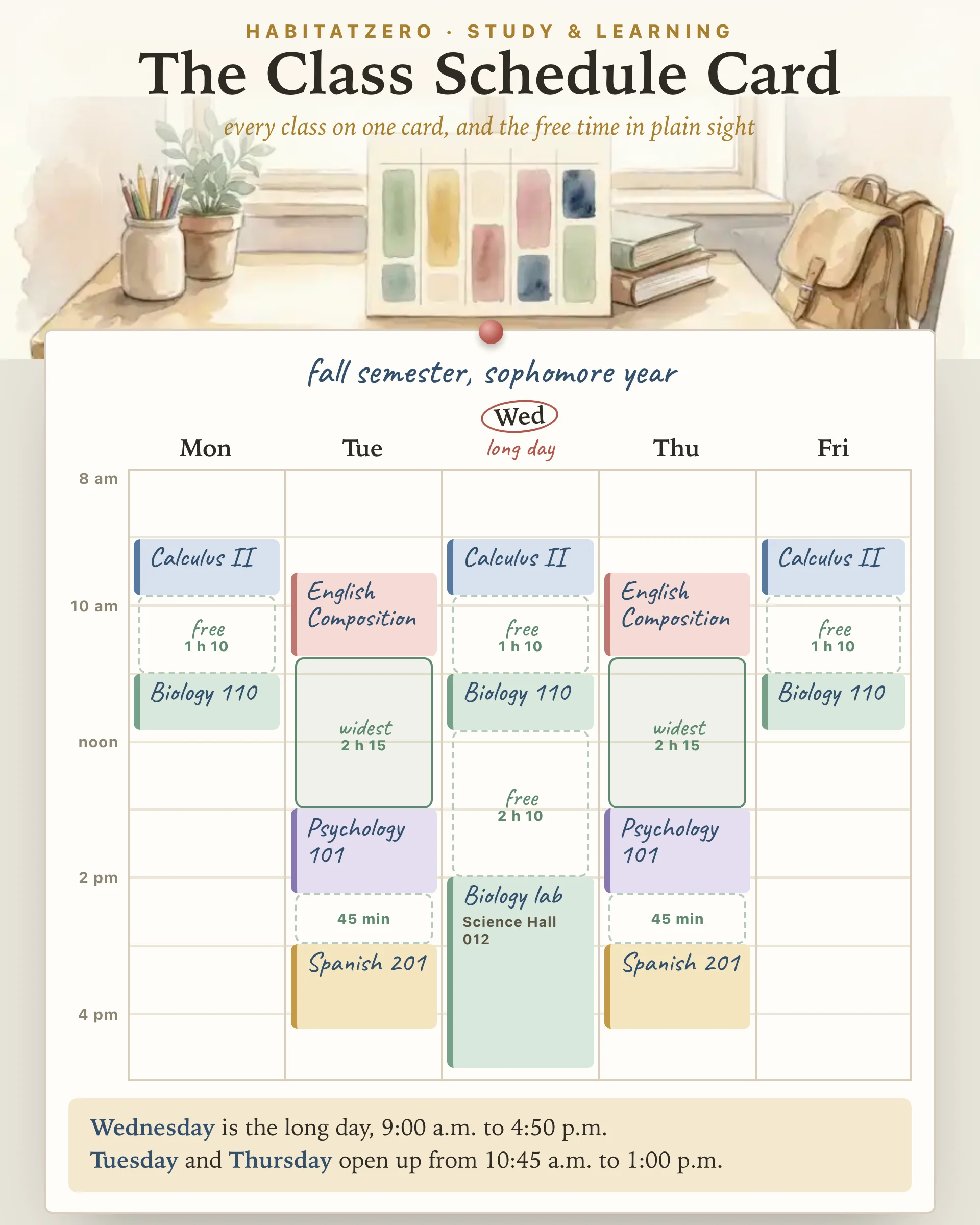
The list your school or registrar hands you says what you are taking. It does not say what the week will feel like. Lay the same classes out as a weekly grid and the shape shows up at once: the Tuesday that starts at eight and runs past four, the Wednesday with a two-hour hole in the middle, the Friday that is over by lunch. This page builds that grid from your classes, then tells you in plain sentences where the free time and the long days fall.
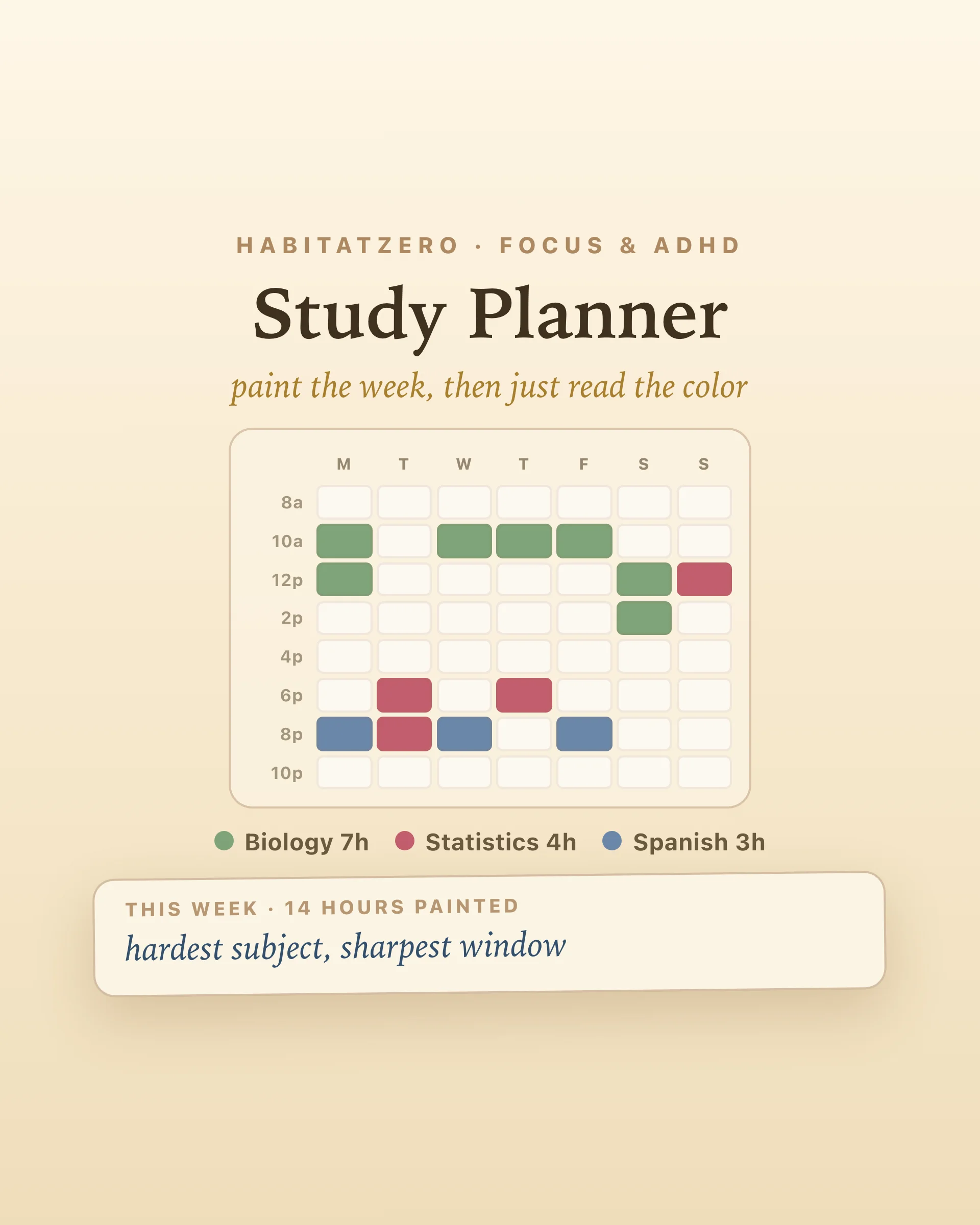
Four facts per class: the course, the days it meets, the start and end times, and the room. Days run across the top, hours run down the side, and each class sits as a block at its real time and length, so a seventy-five-minute seminar looks longer than a fifty-minute lecture. Color does the rest. When every course has its own color, you can pick out Thursday's lab from across the room.
The spaces between the blocks matter as much as the blocks. Ten minutes is the walk to the next building. Two hours is time you can plan, or time that quietly disappears into your phone.
Tap a course name, or write your own, and it lands on the card on Monday, Wednesday and Friday at 9:00 a.m. The slip above the card opens on it. Toggle the days, or choose Mon Wed Fri, Tue Thu or every weekday in one tap; pick start and end times in five-minute steps; add the building and room; choose a color. A lab can share its lecture's color. Each new class lands ten minutes after the previous one ends, on the same days, so a high school day of back-to-back periods goes in quickly.
The card holds ten classes, the most that stay readable on a single page. It turns away a class that is already there and asks you to give a lab or a second section a name of its own. When two classes overlap, both get a red outline and the slip names the clash, since an overlap costs far less to fix during registration than on the first morning. Tap drop twice to take a class off.
Under the card, a short reading does the arithmetic. It names your long day, measured from first class to last. It finds the widest free block, sets the free time between classes against the time you spend in them, and says which days finish early. Gaps under twenty minutes are left out on purpose, because that is getting from room to room. Print the card and it comes out on one letter-size page, with the list of classes and rooms underneath and none of the buttons.
A schedule is the most basic time management tool there is, and time management does appear to matter. A 2021 meta-analysis found it moderately related to academic achievement, and more closely tied to wellbeing, life satisfaction in particular, than to performance. What no study shows is that drawing your classes on a grid raises grades by itself. Any benefit comes from what you do with the hours the grid reveals.
The free blocks are where that happens. In a large review of study techniques, distributed practice was one of only two rated high utility, next to practice testing: spreading study across several sessions beats piling it into one. An hour between classes is a natural slot for a short review of the lecture you just left, repeated through the week instead of saved for the night before the exam.
Long days and early starts carry a cost as well. At the US Air Force Academy, where freshmen were placed into course sections at random, starting the school day fifty minutes later had a significant positive effect on achievement, about as large as getting a teacher one standard deviation better. That is a single campus, and the authors frame the result around the sleep loss common in late adolescence. Still, when registration offers the same course at 8:00 and at 10:00, the later section deserves a look.
Fill the card in once your classes are set, before the first week, and again after any add or drop. Print it for the binder, the locker or the fridge. Once you can see your free blocks, the Study Planner is where you decide which subject gets each one, while the Assignment Tracker and the Semester Deadline Tracker keep the due dates that will fill them in view.
Start from your registration confirmation or the printout your school gives you. For each course, note the days it meets, the start and end times and the room, then place it on a Monday to Friday grid at its real time. Here you tap or type each class and set those details with a few taps, and the grid draws itself.
Course name, meeting days, start and end times, and the building and room number. A color for each course helps you find it at a glance, and showing the gaps between classes tells you where studying, lunch and errands can fit.
A gap under twenty minutes mostly goes to walking between buildings. An hour or more can hold a focused study session, such as a short review of the lecture you just left. Spreading that kind of review across the week is one of the best-supported study habits there is.
Yes. The print button puts the weekly grid, the list of classes with their rooms and the reading of your week on a single letter-size page, and leaves the buttons off.
You can look around the filled example on this page without signing up. Building your own card, saving it and changing it after add and drop happens in HabitatZero, which costs nothing.
By the team behind Fabulous, the science-based self-care app used by over 30 million people.