ADHD Daily Task OrganizerFocus & ADHD · ~10 min
About this template · Updated September 2026
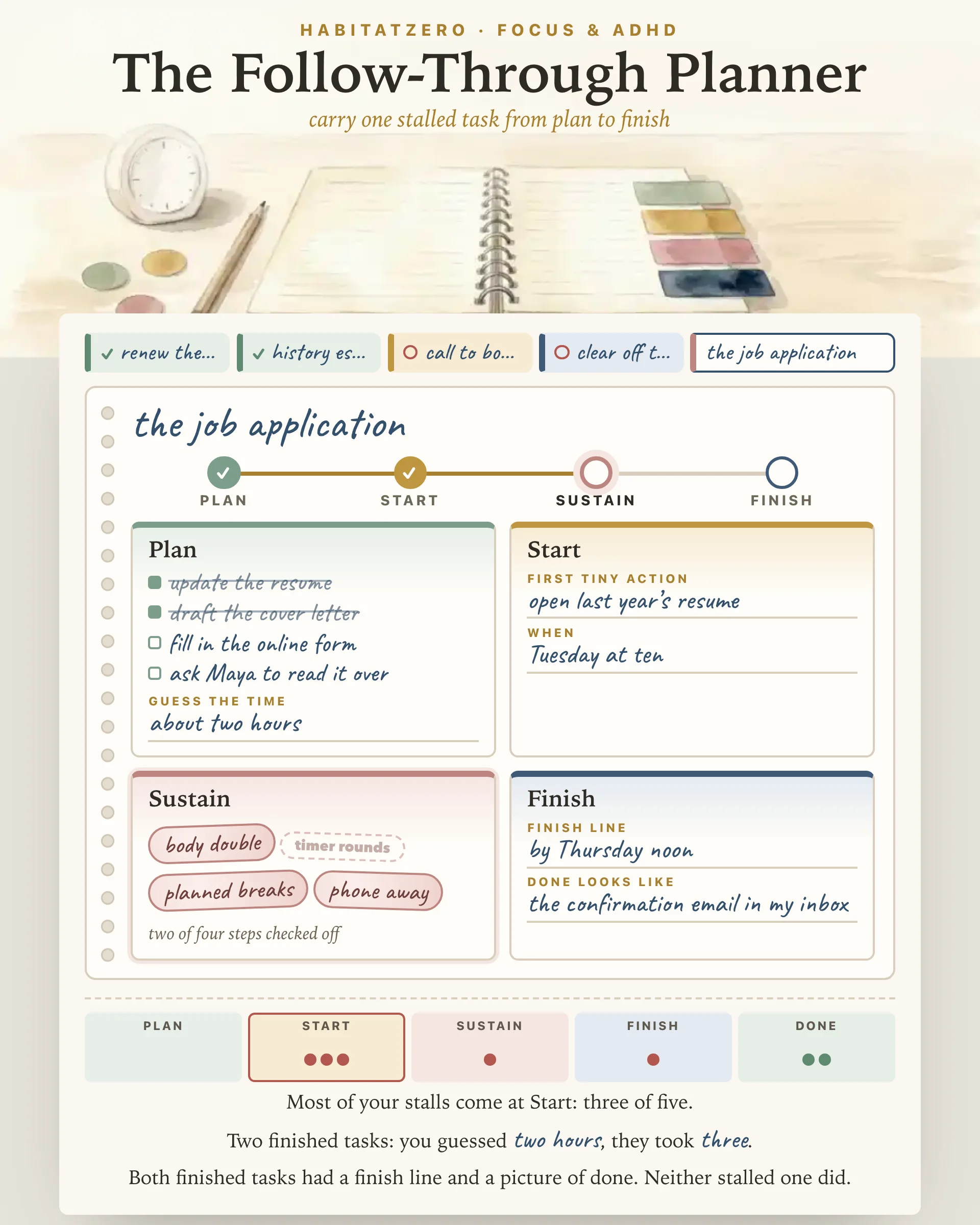
Some tasks are not hard so much as sticky. You know what the email should say, the form takes twenty minutes, and still the task sits there for a week. When a task keeps stalling, a sharper question helps more than "why can't I just do it": at which point does it stop? Before you begin, halfway through, or somewhere in the last few steps?
This executive functioning planner is built around that question. Each stalled task gets a page that walks it through four stages, plan, start, sustain and finish, and the back of the planner keeps count of where your tasks actually stop.
Executive function is the set of mental skills that turns an intention into finished work: keeping the goal in mind, holding back from whatever else is pulling at you, and changing course when the plan meets the day. Russell Barkley's influential account of ADHD put trouble with inhibition at the center and tied it to working memory, to regulating your own motivation, and to the ability to take behavior apart and put it back together toward a goal (Barkley, 1997). He was plain that the model needed far more testing, and none of this requires a diagnosis to sound familiar. The useful part for planning is that these skills are not one switch, so a task can stall at the plan for one reason and near the end for another.
Plan. Break the task into two to five steps and guess how long it will take. The guess matters, because later you will hold it up against the clock.
Start. Write a first action so small it feels a little silly, then give it a time: right after lunch, at four o'clock, as soon as you get home. Pairing the when with the what makes an if-then plan, and a meta-analysis of ninety-four independent tests found that such plans had a medium-to-large effect on reaching goals, helping people get going and stay on course when something pulled them away (Gollwitzer and Sheeran, 2006).
Sustain. Decide ahead what will keep you at it. The page offers four stickers: a body double (someone nearby or on a call while you work), timer rounds, planned breaks and the phone put away. Stick on the ones that suit this task; you are stocking options, not signing a contract.
Finish. Write the finish line, such as by Friday, and what done will look like, such as the email sitting in the Sent folder. Picture the end before you begin, so the last stretch has somewhere to land.
Tap a suggested task or write your own, and it gets a page. Fill in all four stages in one sitting; the rail across the top shows where the task stands. When it moves, push it on. When it stops, mark the stage where it stalled. You can pick it back up later and the mark stays, because the record is the whole point. When a task is done, slide in how long it really took. A page holds five steps and the planner six pages, so tear out a finished or abandoned page to make room.
Once a few tasks have run through, the back page answers three questions: which stage collects your stall marks, how your time guesses compare with the clock, and which support your finished pages had that the stalled ones lacked. It also applies your time ratio to a task still in progress.
The time reading rests on well-studied ground. Most people guess too short for their own tasks, mainly because they imagine the plan going smoothly and skip over how similar jobs went before; in one set of studies exploring this planning fallacy, the optimism disappeared when people were asked to connect their prediction with past experience (Buehler, Griffin and Ross, 1994). A later review argued that memory is part of the trouble, since people recall past tasks as shorter than they really were and then plan from that shrunken memory (Roy, Christenfeld and McKenzie, 2005). Writing the real time down is a direct way around both.
A handful of tasks gives you a hint, not a finding. If a finish line was on both finished tasks and neither stalled one, try it on purpose next time; it is not proof that finish lines work for everyone. This page is a planning tool. It does not screen for ADHD or measure executive function, and it is no substitute for a clinician or coach if stalled tasks are costing you a job, a grade or your peace of mind.
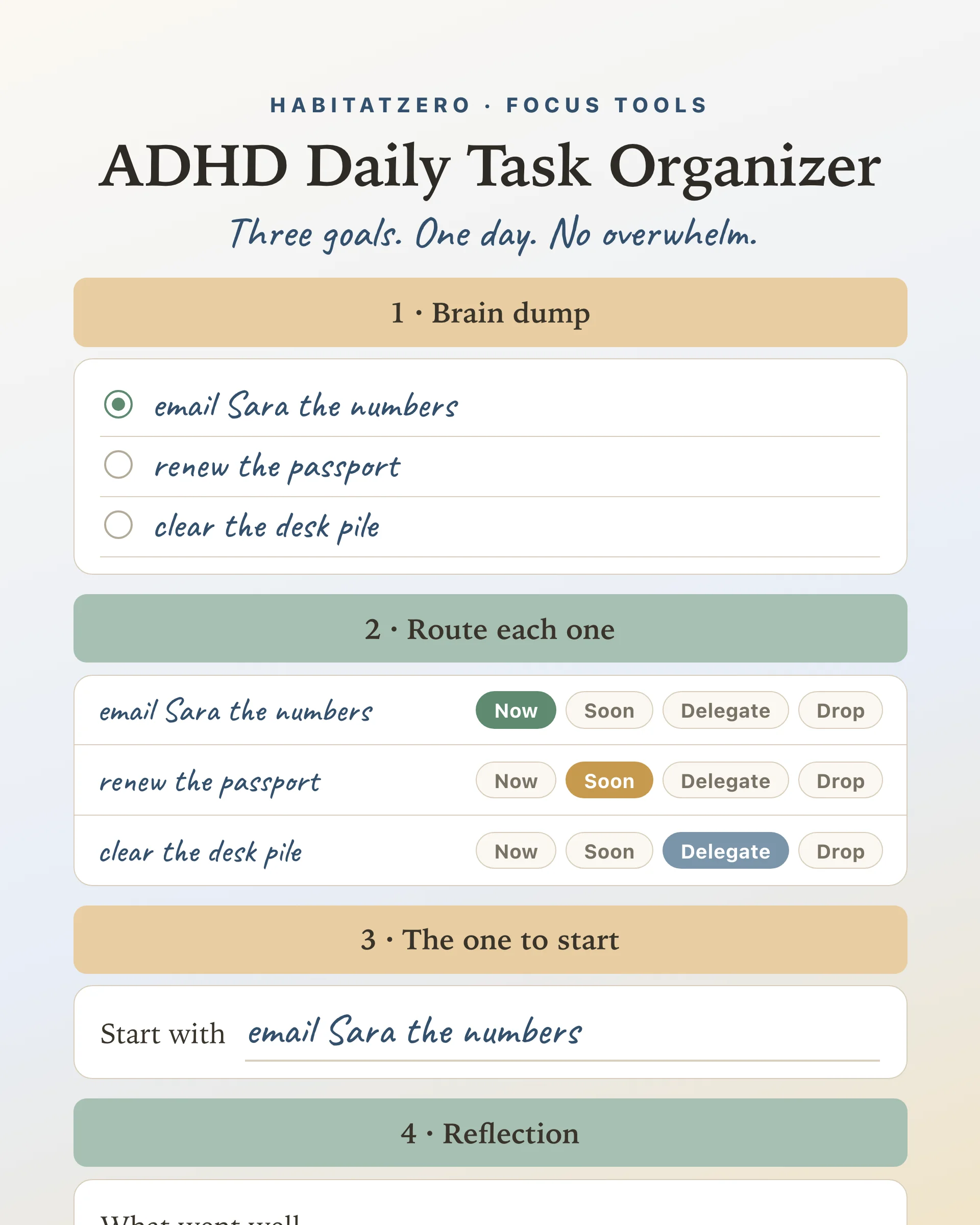
Use it for the one task that has sat untouched for days, not for your whole list. If the list itself is the trouble, sort it first with the ADHD Daily Task Organizer and bring the chosen task here. If even the first action feels too heavy, walk it down to size with The Shrinker. And when a task reaches the sustain stage, Sand Timer Sprints gives your timer rounds a glass you can watch.
It is a planner organized around the points where tasks get stuck instead of around dates. Each task gets room to be broken down, started at a set time, kept going and brought to a clear end, which is the stretch of getting things done that executive function skills carry.
The best one is the planner you will actually reopen, and it should do some of the thinking for you. Look for space to split tasks into steps, a way to compare guessed time with real time, a fixed start for each task and a visible finish. This page covers all four for free, on screen or on paper.
Lists vary by author. Many researchers begin with three core skills, working memory, inhibitory control and cognitive flexibility. Practical lists used by coaches and schools add planning, organizing, managing time, starting tasks and following through, which are the jobs this planner splits into stages.
It works for both. The suggested tasks mix adult errands with school assignments, and every line can be rewritten in your own words. A parent and a teenager can also fill in a page together and read the back page side by side.
You can print it. A blank printout gives you a page ready for a pen, and a filled one prints every task page with its stall marks. To keep your pages, collect stalls over weeks and get the back-page readings, personalize it in HabitatZero, which costs nothing.
By the team behind Fabulous, the science-based self-care app used by over 30 million people.